WHAT IT DOES & WHO IT'S FOR

Convert Any MBOX File: Without Installing an Email Client

If you have MBOX files from Apple Mail, Thunderbird, Eudora, Google Takeout, or any other client and need to open them in Outlook, migrate them to Office 365, or archive them as PDF, MacSonik MBOX Converter handles it in a single run without requiring any email client to be installed.

Most users arrive here after the manual route fails: Thunderbird with ImportExportTools works for one file, but breaks down at scale, loses folder structure, and can't convert directly to Office 365 or Gmail. MacSonik replaces that multi-tool process with a guided 7-step workflow, supporting MBOX, MBX, MBS, and MBOX files with no extension with filters, preview, duplicate removal, and direct migration to Office 365 built in.

100% Local Processing: no data sent to external servers

eDiscovery & GDPR ready: forensically complete output

MSP & Enterprise licensed: multi-system, lifetime tiers

Incremental migration: resume without reprocessing

Complete Compatibility

Output File Formats

  • PST · MSG · EML · EMLX
  • PDF · HTML · MHTML
  • CSV · TXT · JSON
  • DOC · DOCX · DOXM
  • GIF · PNG

Email Platform Destinations

  • Microsoft 365 / Office 365
  • Gmail / Google Workspace
  • iCloud Mail
  • Any IMAP Server
  • Outlook.com · GoDaddy
SUPPORTED SOURCE EMAIL CLIENTS (20+)
Apple Mail Thunderbird Eudora SeaMonkey IncrediMail Entourage Google Takeout Google Vault Powermail Kmail Spicebird Netscape Evolution Opera Mail Becky! Mail Claws Mail Postbox Alpine Mulberry Horde Webmail
Bulk Conversion || Orphan MBOX || Incremental Export || No Email Client Required

Mailbox data never leaves your machine: full control, no cloud upload, no server dependency.

Why MacSonik · Exclusive Features

Why is the MacSonik MBOX Converter the Best Choice?

Every feature built to answer a real conversion challenge for individual users, IT teams, and enterprises. No Outlook required. No cloud upload. No data loss.

Feature What Makes It Different
Preview Before Conversion View mailbox content before selecting emails for conversion.
Mailbox Mapping Map source MBOX mailboxes to their corresponding destination accounts for organized and accurate email migration.
Duplicate Email Removal Avoid repeated email items and maintain cleaner output files.
Enterprise-Ready Migration Support large-scale mailbox conversion and migration requirements for businesses, IT teams, MSPs, and enterprise environments.
No Outlook Installation Required Converts MBOX to PST, MSG, and other formats without Outlook or any email client installed.
Auto Detect Profile Across 20+ clients Detects Thunderbird profiles, identities, and SBD folders automatically, while supporting Apple Mail, Eudora, SeaMonkey, IncrediMail, Postbox, KMail, Entourage, and more.
Multiple Export Formats Convert MBOX files into PST, MSG, EML, PDF, CSV, and other supported formats
Multiple Email Client Support Import MBOX to Office 365 (Primary, Shared mailbox), IMAP Server, Gmail, Google Workspace, and more.
Feature What Makes It Different
Skip Previously Migrated(Incremental) On subsequent runs, the tool detects and skips previously processed emails, preventing duplicates without manual tracking.
Duplicate Email Removal Avoid repeated email items and maintain cleaner output files.
Attachment Handling Three attachment options: Keep attachments with emails, save them in a separate folder for PDF exports, or exclude them for smaller, lightweight backups.
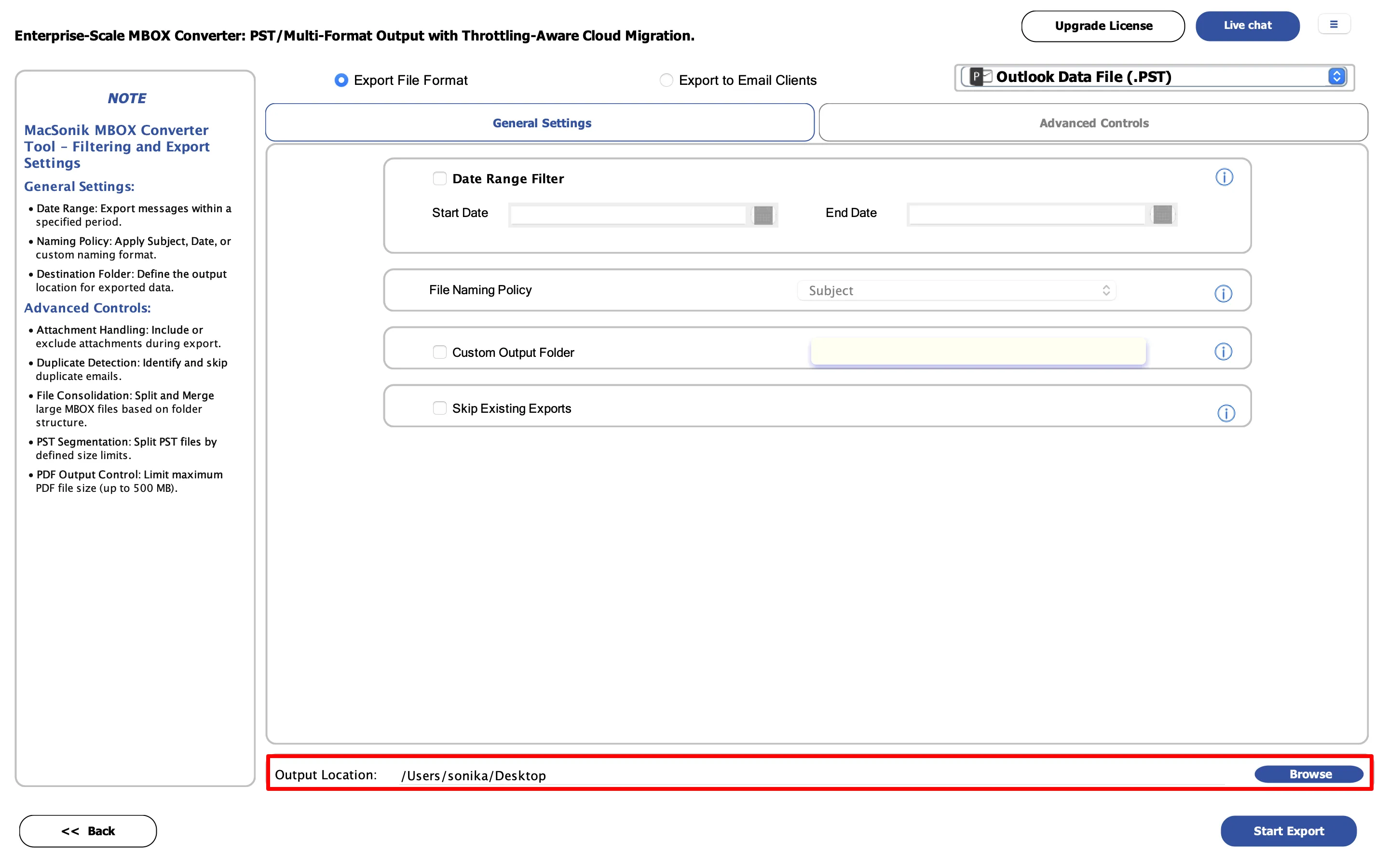
No File Size Restriction Processes multi-gigabyte MBOX archives without manual splitting, with options to split the output PST by MB or GB for import limits.
Detailed Export Report Generates downloadable HTML reports with processed, skipped, and failed items for audits and compliance records.
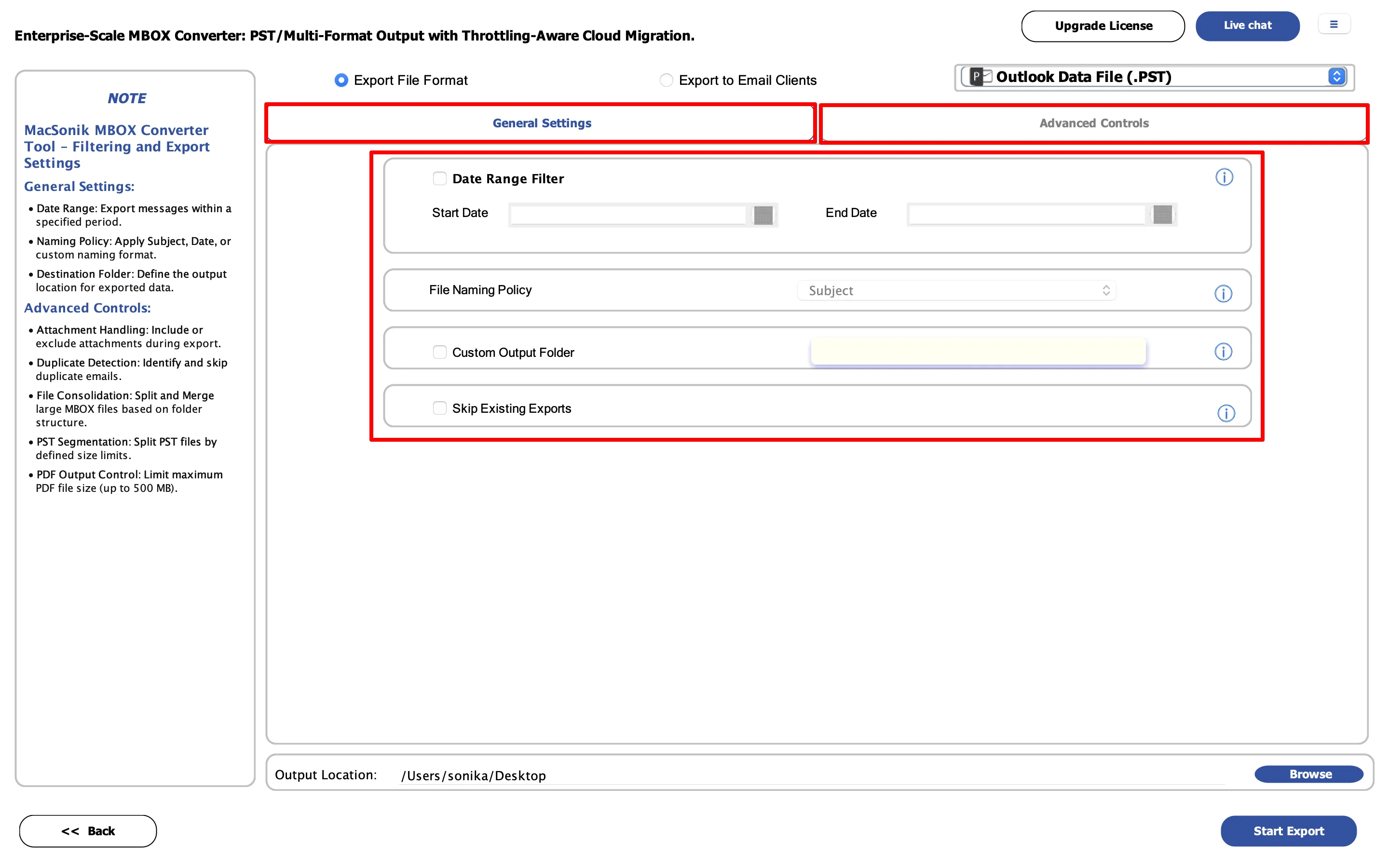
Advanced Filters Select emails by date range, folder, or other available criteria.
Bulk MBOX Conversion Convert multiple MBOX files or folders together to save time during large-scale conversions.
Manual vs MacSonik · Competitor Comparison

MacSonik vs. Manual Methods & Competing Tools

Why MacSonik beats both the manual route and every major competitor: in one view.

Task Manual (Thunderbird + Add-ons) MacSonik MBOX Converter
MBOX to PST Install Thunderbird → ImportExportTools NG → Export EML → Import to Outlook → Save PST. Outlook required. Add MBOX → Select PST → Convert. No Outlook needed.
MBOX to PDF Open email → Print → Save as PDF. One at a time — no batch. Bulk-convert entire MBOX to PDF in one run. Attachments extracted separately.
MBOX to Gmail Configure Gmail IMAP in Thunderbird → Drag folders (slow, error-prone). Direct MBOX → Gmail via OAuth 2.0. No drag-and-drop.
MBOX to Office 365 No direct route — PST first → Admin Center upload. Multi-tool, multi-step. Direct migration with multi-user mailbox mapping.
Bulk conversion Repeat all steps per file. Hundreds of files = hundreds of runs. Folder Mode — hundreds of MBOX files in one run.
Orphan MBOX files Must import into a compatible client first. Often fails on nameless files. Loads orphan MBOX directly — no email client needed.
Duplicate removal No built-in option — manual review or third-party tool required. Built-in detection by sender, subject, BCC, and body.
Selective export No native filtering — manual sort required. Date range, mail status, subject, sender, CC/BCC filters.
Time & skill Hours to days. CLI steps, IMAP config, add-on management. Minutes. GUI-driven, 7-step workflow, no command line.
Feature MacSonik SysTools BitRecover Stellar Kernal
Mac & Windows Both Both Win only Both Win only
Output formats 30+ ~6 ~20 ~8 ~5
Direct cloud migration Separate tool Partial
No Outlook required
Orphan MBOX
Auto-detect Thunderbird
MBX/MBS support MBOX only MBOX only MBOX only
Single or Multiple PST Single only Single only
Duplicate removal
Skip previously migrated
Mailbox mapping
Date + mail status filter Date only
Trial limit (per folder) 50 emails 25 25 25 25
Microsoft Store
Starting price From $39 · Home / Admin / Tech / Enterprise plans with customization options are also available. From $39 From $49 From $49 From $49

Based on publicly available information at time of publication. Competitor capabilities may change.

Step-by-Step Guide

How to Convert MBOX Files Using MacSonik

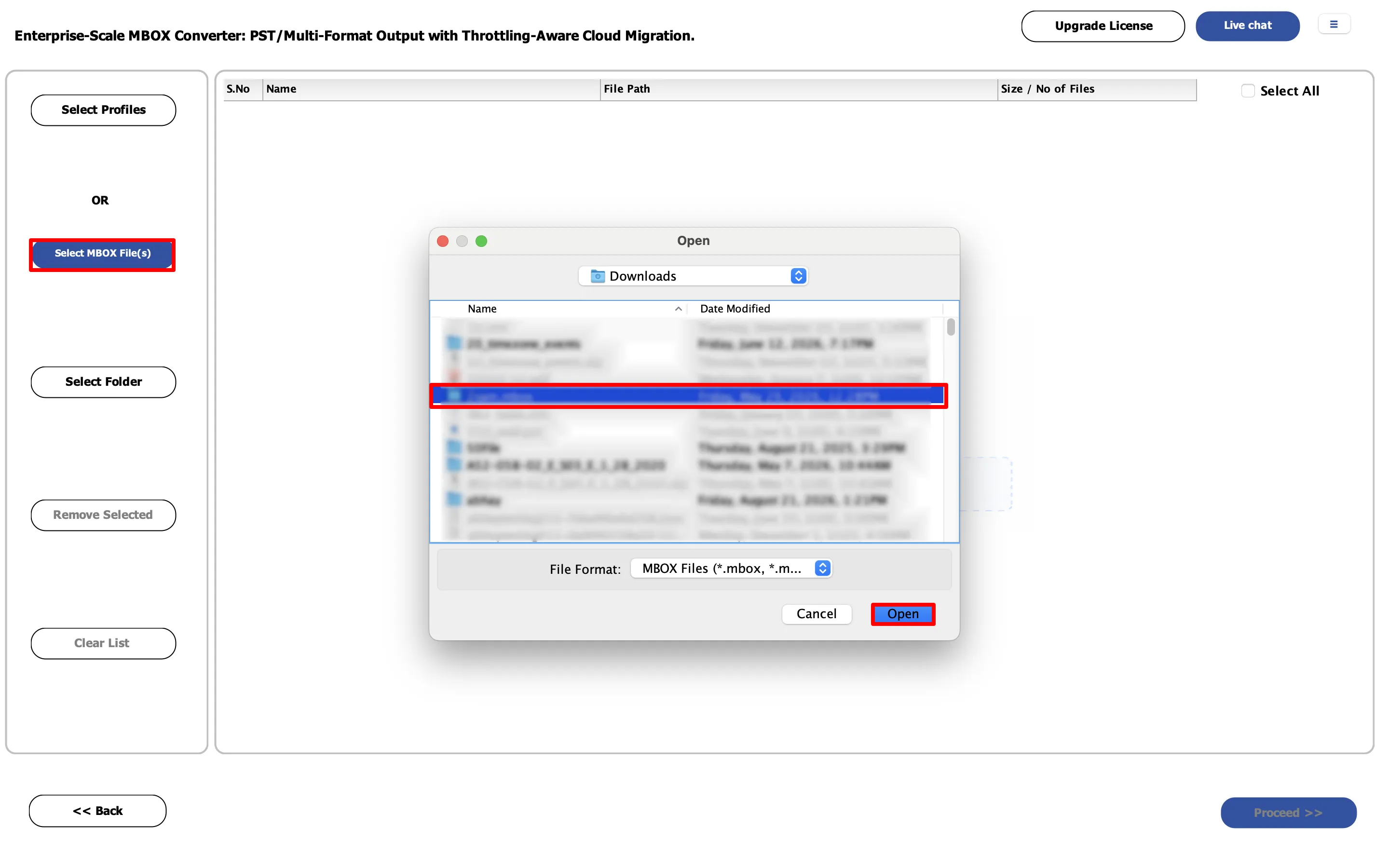
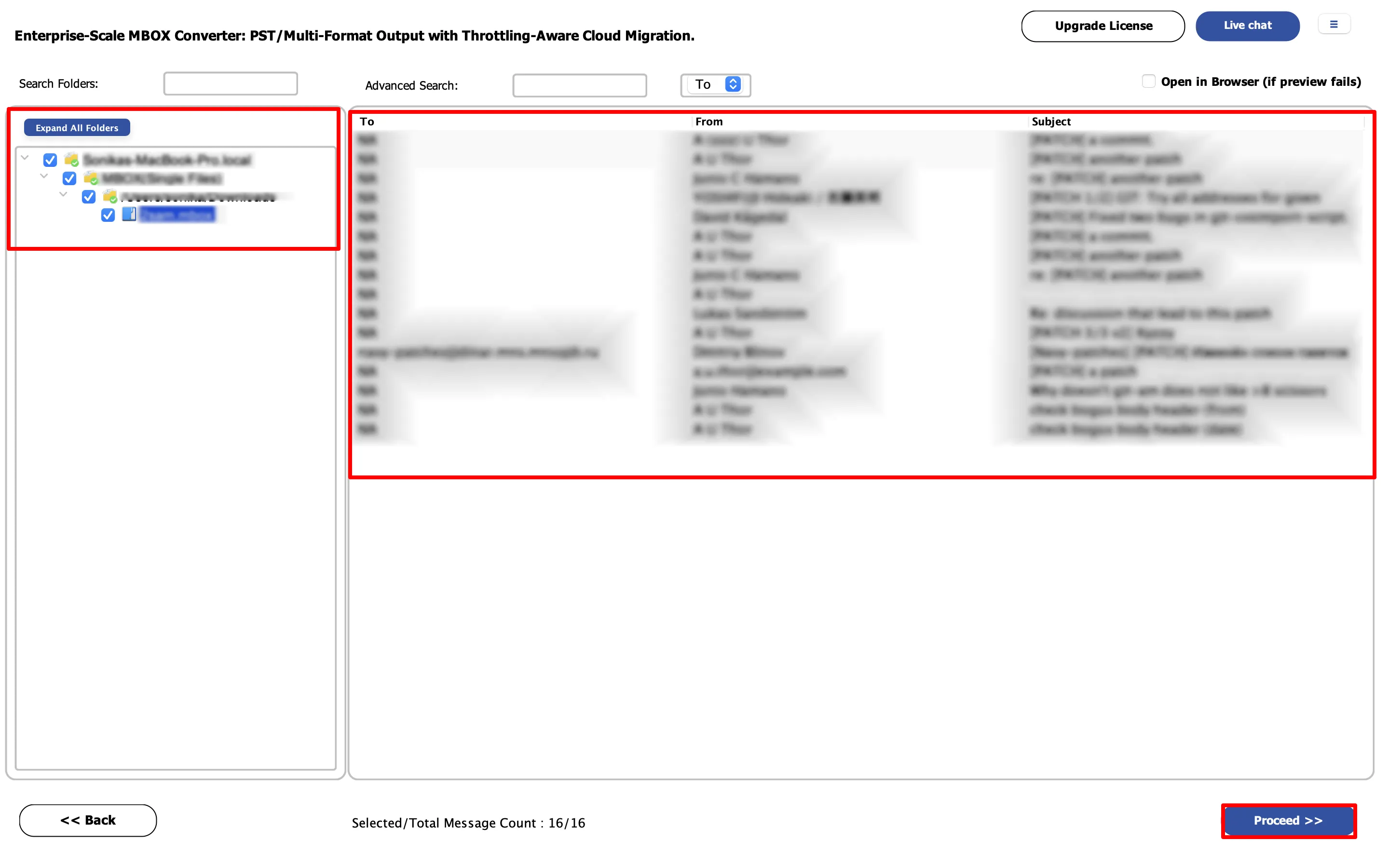
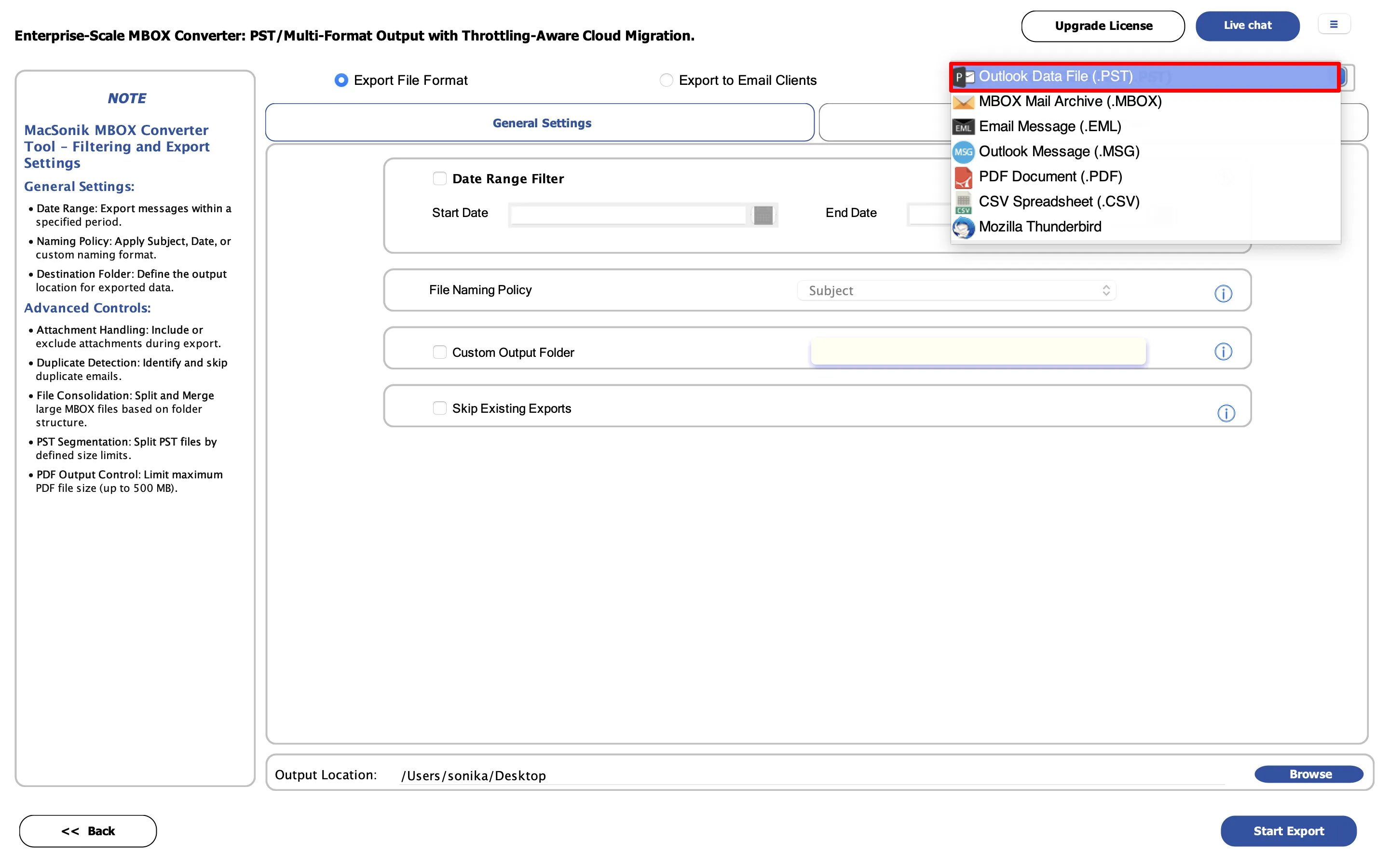
Click any step to see the exact UI screenshot from loading files to downloading your converted output

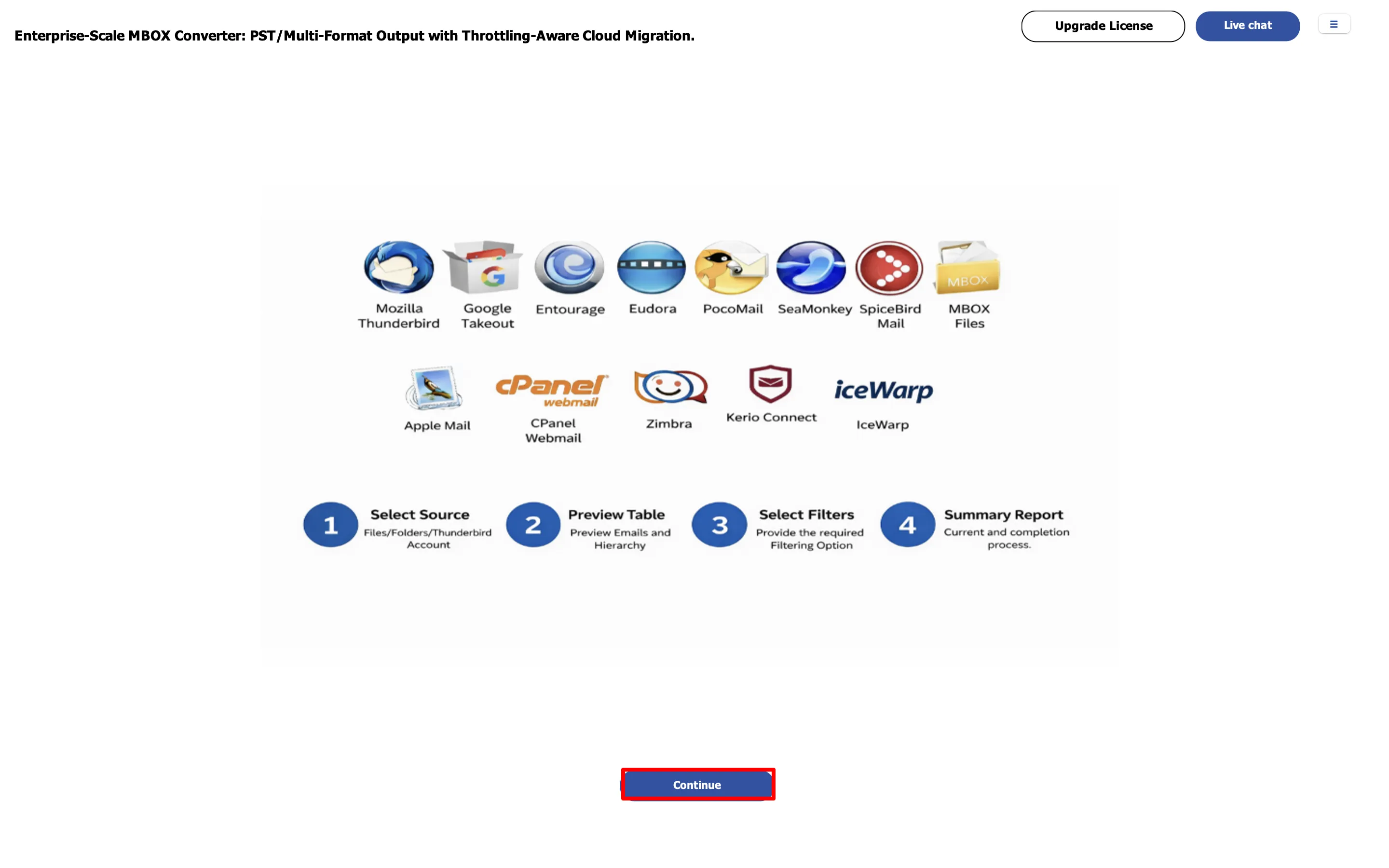
Download and Launch MacSonik
Add MBOX Files
Preview MBOX Data
Select Output Format
Download and Launch MacSonik
Need the full walkthrough? The complete guide covers every setting, filter, and output format in detail.
View Software Guide
VIDEO TUTORIAL

Full Conversion Walkthrough

Covers File Mode, Folder Mode, output format selection, filters, duplicate removal, and the HTML export report end to end in one take.

Enterprise & MSP Use Cases

Built for IT Teams, MSPs, and Large-Scale Migrations

Common scenarios where MacSonik replaces manual processes or multi-tool stacks.

Org-Wide Thunderbird → M365

Migrate 500+ user mailboxes from Thunderbird to Microsoft 365 using many-to-many mapping one MBOX per user routed to their Office 365 account. Incremental export handles re-runs without reprocessing completed mailboxes.

Legal Hold & eDiscovery

Convert archived MBOX files to PDF with complete metadata preservation Message-ID, timestamps, sender/recipient chains, and attachment inventory. Output is forensically intact and admissible for GDPR, HIPAA, and SEC audit requirements.

MSP Client Onboarding

Technician license covers up to 5 systems run migrations across multiple client environments from one installation. Detailed HTML export reports per job provide audit trails to share with clients after migration completion.

Need volume licensing or a custom deployment? Enterprise ($399 · Lifetime · 7 systems) or contact for MSP volume pricing.
TECHNICAL DETAILS

System Requirements & Feature Comparison

Specs macOS Windows
STORAGE 1 GB free disk space 1 GB free disk space
RAM 4 GB minimum (8 GB recommended) 4 GB minimum (8 GB recommended)
PROCESSOR Apple Silicon M1, M2, M3, M4, M5 and newer Apple Silicon processors Intel® Core™ 2 Duo CPU E4600 @ 2.40GHz 2.39GHz
MACOS VERSION High Sierra, Big Sur, Monterey, Ventura, Sonoma+
WINDOWS VERSION Win 11, Win 10, Win 8.1, Win 8, Win 7 Server 2022, Server 2019, Server 2016
Version 26.08 26.08
SIZE 246 MB 244 MB
RELEASED Aug 2026 Aug 2026
LICENSE Home, Admin, Tech, Enterprise Home, Admin, Tech, Enterprise

Trial Limitation

The trial version of MacSonik MBOX Converter Tool for Mac lets users test the tool before buying. All output formats and features are accessible in the demo, with a limit of 50 emails per folder.

Evaluate the MacSonik MBOX tool before using the full version for your mailbox conversion requirements.

Feature Aspects Trial Version Premium Version
Bulk MBOX File Conversion Limited Unlimited
Email Preview 50 emails per folder Unlimited
Multiple Export File Formats & Email Clients
Advanced Date Filter
Folder Structure Preservation
Attachment Extraction
Duplicate Removal
Metadata Preservation
Split PST File Option
Detailed Conversion Reports
Safe & Secure
24*7 Technical Support

Enterprise Licensing: Suitable for organizations and IT teams managing large-scale MBOX conversion, migration, and mailbox management requirements.

FAQ

Frequently Asked Questions

Find answers to common questions about MacSonik MBOX Converter.

Yes. The software supports bulk MBOX conversion, allowing users to add multiple MBOX files or mailbox folders and process them together.

Yes. The software is designed to maintain the original mailbox tree hierarchy during the conversion process, helping users keep their email data organized.

Yes. MacSonik provides a Date Mail Filter that allows users to select emails within a specific date range instead of converting the complete mailbox.

Yes. The duplicate-removal option can identify identical emails based on attributes such as sender, recipient, subject, Bcc, and message body and exclude them from the output.

Yes. MacSonik's MBOX conversion solutions support exporting MBOX mailbox data to PST, making it suitable for users who need to access their MBOX emails in Outlook.

Yes. MacSonik MBOX to Office 365 Migration Tool allows users to migrate MBOX mailbox data directly to Microsoft 365/Office 365 accounts while maintaining email data and folder structure.

Yes. MacSonik MBOX Converter can process large MBOX files while maintaining essential email data, including messages, attachments, metadata, and folder hierarchy during conversion.

Yes. MacSonik MBOX to Office 365 Migration Tool allows users to migrate MBOX data to multiple Office 365 accounts by mapping the source MBOX files with their respective destination Office 365 user mailboxes. This makes it convenient to migrate data from different MBOX files to different Office 365 users while keeping the migration organized and properly mapped.

Yes. Where supported by the selected export options, attachments can be saved separately from the converted PDF files for easier management.
RESOURCES & SUPPORT

Helpful Resources for Every Step

Access guides, pricing, migration tools, troubleshooting help, and expert support whenever you need it.

User Guide

Backup & Restore Guide

Learn more →

Pricing

Flexible User Licensing

Learn more →

Contact Sales

Speak with a Specialist

Learn more →

Migration Tools

Explore Migration

Learn more →

Troubleshooting Guide

Quick Backup Solutions

Learn more →

Video

Watch Guides & Tutorials

Learn more →

Activate

Activate & manage software license

Learn more →

EULA

Review the terms and conditions

Learn more →
100%
Secure Software
24× 7
Technical Support
5M+
Downloads
30 Days
Money Back Guarantee